 Read Aloud
The useful answer
To listen to a work document on Android, save an approved PDF, DOCX, RTF, PPTX/PPSX or text file and import it using Read Aloud's Add content → Import a file. Check the extracted prose, choose a device voice and listen in short sections. Keep the original for tables, tracked edits, figures and exact wording; use online tools only where permitted.
Try your own document. Free download; optional in-app purchases.
There is a difference between hearing a report so you arrive prepared and reviewing it closely enough to approve it. Text to speech can help with the first task, or give you another pass over your own writing. Exact numbers, tracked changes and decisions still need the original document.
This Android workflow is built around a common situation: you have a report, draft or briefing, and a short period in which to hear the prose. Choose a document suitable for the app and for your organization's handling rules, then make the listening session answer one concrete question.
About this guide: We make Read Aloud. The Android controls and supported formats below were checked on 18 October 2026. Its Google Play listing explains document storage, premium speech and online translation.
Choose a document that works as spoken text
A narrative briefing, a draft email or a plain-language report is a useful starting point. A spreadsheet, marked-up contract or slide made mostly of diagrams is a different task. Hearing isolated labels may tell you very little about the relationships on the page.
Choose one goal: understand the proposed next step, hear your draft for awkward phrasing, or prepare questions for a meeting. A defined purpose makes it easier to decide when to pause and look at the source instead of continuing through every page.
Scroll sideways to see all columns.
| Material | How to use listening | What still needs the original |
|---|---|---|
| A narrative report | Follow the explanation and recommendation | Tables, figures and footnotes |
| A draft email | Hear tone, repetition and missing words | Final recipients, attachments and wording |
| A slide deck | Hear extracted text and available notes | Layout, diagrams and visual emphasis |
| A meeting briefing | Identify points to discuss | Exact dates, names and commitments |
| A policy document | Review explanatory sections | The authoritative wording and any exceptions |
Start with a non-sensitive sample if you are evaluating the app for a new workflow. You can establish whether the mechanics suit you without importing a whole document collection first.
Save a supported copy on Android
Use the source app's download or export option to obtain a supported file. Read Aloud for Android accepts PDF, DOCX, RTF, PPTX/PPSX presentations and text, among its supported formats. An editable cloud-document link is not automatically a file that another app can import.
For a first test, choose DOCX for a prose document or a PDF whose text you can select. If the source is an older or unfamiliar format, export a supported copy instead of assuming that renaming the extension converts it. Keep the original in its usual location.
Give the copy a name that distinguishes the version, such as a short title and date. A listening copy can become stale after colleagues edit the shared original. Before a consequential meeting, verify that you imported the version you actually intend to discuss.
Import and listen with Read Aloud
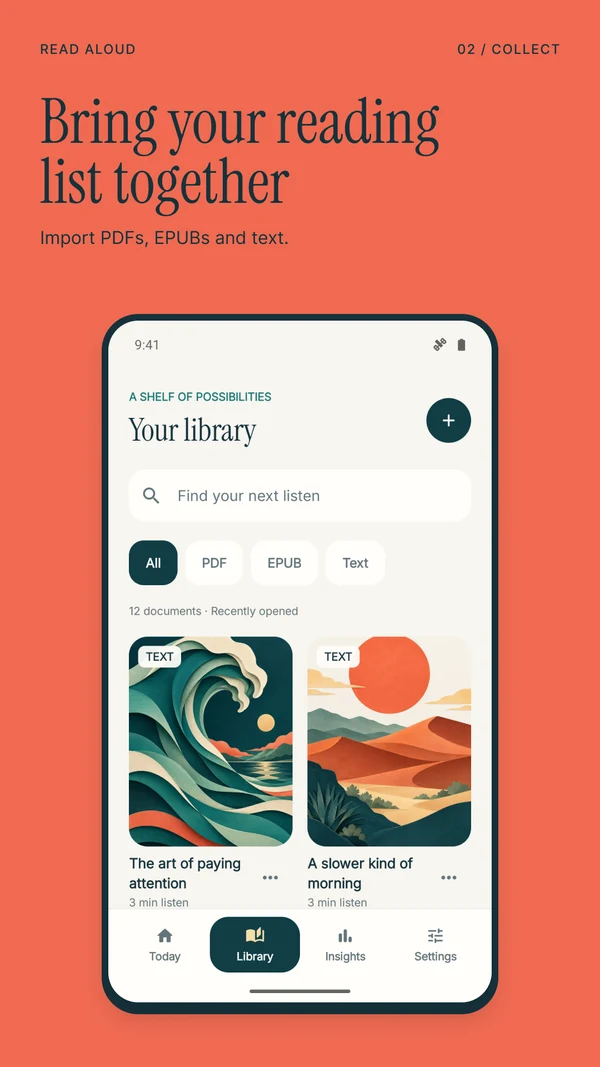
- In Read Aloud, open Add content and choose Import a file.
- Select the saved document in Android's file picker. Wait for any cloud download to finish.
- Open the imported item and compare its first substantive paragraph with the original.
- Select a device voice and start playback at a comfortable speed.
- Pause at a point you want to revisit, then save a passage or add a note.
- Return to Library when you want to continue the document later.
For your own short draft, New text offers another route. Paste the passage, add a title and choose Save to library. Hearing a small section is often enough to identify a sentence that runs too long or repeats an earlier idea.
Keep edits in the authoritative writing app. A note made while listening is a reminder to revise, not proof that a shared document has been updated. After making a change, read the final wording in context and, if useful, listen to the revised excerpt again.
Use a “question, listen, check” routine
Before pressing Play, write one question. For example: “What decision does this briefing ask us to make?” or “Where does my draft become hard to follow?” You now have something to listen for beyond reaching the end.
Listen to one section, then pause and answer in your own words. If you cannot locate the answer, return to the relevant passage. Slow down for unfamiliar material rather than assuming a faster rate will create more useful progress.
Finally, check any detail that your next action depends on. A budget number, deadline, person responsible or exception belongs in this category. Read it from the source. Spoken punctuation, abbreviations and extracted table order can all affect how a detail sounds.
This routine is particularly useful for proofreading. Listen for the shape of the argument and mark awkward transitions. Then look for spelling, formatting and factual errors separately. Audio is another review pass, not a complete editing process by itself.
Understand which features use a connection
Read Aloud keeps saved documents and reading history on the device. Premium voices send selected text over HTTPS for speech generation. Website import contacts the address entered, and translation sends chosen text for online processing through the app's service.
For a document that must remain within an approved workflow, use only features your organization allows. Selecting a network-based voice is a different processing choice from using an installed local system voice. Local storage does not make every feature local.
If offline listening is important, prepare the file and local voice while connected and test the same document with networking off. Try closing and reopening it as part of the check. Do this before leaving, so an unavailable voice or incomplete download is easy to fix.
Avoid the stale-copy problem
Imported material is a reading copy, not a live connection to a shared document. After a revision, import the new file and make its title distinguishable from the older one. Confirm important notes against the latest source before acting on them.
Be deliberate when removing an old library item: deleting a document also removes its associated saved passages from the app. Move any notes you still need into your normal work system first. The library is convenient for listening, but it is not a substitute for your organization's recordkeeping process.
Questions about work-document listening on Android
Can Read Aloud read a Google Docs document?
Use an authorized export into a supported format, such as DOCX or PDF, and import that file. Do not assume that pasting a private editing URL will give another app access to the document or keep it synchronized with future edits.
Can I hear a PowerPoint presentation?
You can import PPTX and PPSX files. Legacy binary PPT files need conversion to a supported format first. Inspect the extracted text and available notes before listening. Audio cannot preserve the complete meaning of diagrams, animation or slide layout. Keep the deck available for those parts.
Will my iPhone subscription and library appear on Android?
Read Aloud's Android and iOS subscriptions are separate, and local libraries do not automatically sync. Use Google Play for Android purchases and keep your source files available for importing on the device where you want to listen.
How do I start with a useful example?
Get Read Aloud on Google Play, choose an approved short briefing or your own draft, and listen with a device voice. Save one point to revisit, then check it against the original before using it in your work.