 Read Aloud
The useful answer
Consider NaturalReader on Android if its web-and-mobile workflow or paid MP3 conversion is central to your plans. Consider Read Aloud if you want a personal Android library for PDFs, EPUBs, articles and notes with device-voice listening. Test the same document in each; Read Aloud Plus and NaturalReader subscriptions have different features and terms.
Try your own document. Free download; optional in-app purchases.
A reader can have an appealing voice and still feel awkward for the way you work. The important difference often appears before playback begins, when you bring in a document, or the next day, when you try to find it again.
NaturalReader and Read Aloud both have Android apps. Choosing between them starts with the job you want your phone to do: continue a wider web workflow, listen to local documents, or produce a separate audio file. Those are related tasks, but they are not interchangeable.
Disclosure: This comparison is published by the developer of Read Aloud. It uses our Android product evidence and the official NaturalReader sources linked below, checked on 18 October 2026. We have not run an independent quality or speed benchmark, and we do not assign invented ratings.
Other product names identify the products being compared. Their mention does not imply endorsement of Read Aloud or this article by those companies.
A practical comparison for Android users
Scroll sideways to see all columns.
| Decision | NaturalReader | Read Aloud for Android |
|---|---|---|
| Basic access | Basic free features; advanced features require a subscription | Free download and device voices; Plus for premium voices |
| Reading workflow | Android app within a web and mobile product | Personal document library stored on the Android device |
| Common material | PDF, Word, EPUB and other supported sources | PDF, EPUB, DOCX, RTF, PPTX/PPSX presentations, text and images |
| Separate audio files | Paid MP3 conversion, with plan limits | Evaluate for in-app listening; do not assume MP3 export |
| Returning to reading | Check the account workflow across the devices you use | Saved position, passages and notes in the local library |
| Moving between phone platforms | Check NaturalReader's current account and plan terms | Android and iOS subscriptions are separate; libraries do not automatically sync |
NaturalReader's Google Play listing establishes Android availability, supported documents and its broader device workflow. Its feature guide explains the free-versus-subscription boundary. Read Aloud's Android listing describes its imports, local storage and premium speech.
The table is a way to narrow your trial. It is not a claim that every complex document works equally well in either app. Keep one representative file ready and use it to examine the details that matter to you.
When NaturalReader deserves the first trial
Start with NaturalReader if moving between a computer and your phone is your main requirement. Its personal plans include web, mobile and Chrome access, and describe MP3 conversion allowances. Verify the particular account and plan you intend to use before organizing your whole reading routine around it.
An export requirement can be decisive. If the goal is to put an audio file into another player, “this app reads documents aloud” is not enough information. Look for the format, conversion allowance and intended-use terms. Try a short authorized sample and confirm that the resulting file works where you need it.
Also distinguish a desktop browser extension from an Android app. A product having both does not mean the desktop extension's controls will appear in Chrome on your phone. Follow the mobile product's own instructions for the Android portion of the task.
These are good reasons to prefer a competitor when they match your needs. There is little benefit in choosing a local library first and discovering later that your non-negotiable requirement was a shared computer-to-phone workflow.
When Read Aloud is a useful fit
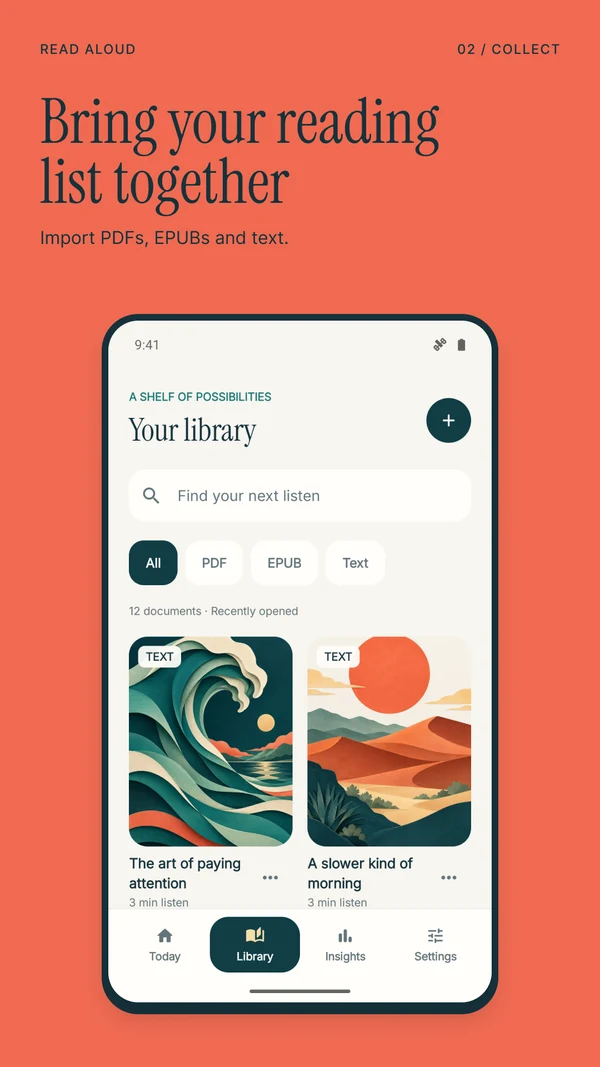
Try Read Aloud when the material arrives in several forms but the listening happens mainly on your Android device. You might have an EPUB for the evening, a PDF for a course, and a page of notes you want to hear before a meeting. A single local shelf gives those items somewhere to return to.
The basic path is Add content → Import a file. Android opens its document picker; select the file you want to bring into the library. For your own writing, use New text, enter a title and the text, then choose Save to library. An imported web article is another document you can revisit, rather than a tab you have to keep open.
Once inside a document, listen with a device voice, adjust the speed, and follow the sentence highlight if you want to read alongside the audio. Use saved passages and notes to mark a point worth returning to. The practical question is whether those actions feel easy on the material you read most often.
Read Aloud does not automatically turn your Android library into a synchronized iPad or desktop collection. Keep the original documents somewhere appropriate for your own backup routine. A phone's reading library should not become the only surviving copy of an important source.
Compare imports before comparing voices
Take a document with a normal paragraph, a heading, a number and a section break. If your real work uses PDFs, choose a typical PDF rather than a perfectly formatted text sample that hides the difficult parts.
Check three locations after import: the start, a passage in the middle, and the ending. Look for missing lines, repeated headers and paragraphs that jump between columns. If the text is wrong, a more expressive voice will still read the wrong sequence. Correct or replace the source before using the result to judge voice quality.
For a scanned page, check the recognized words against the image. OCR can confuse a letter with a number or lose punctuation. A clear scan is helpful, but clarity alone does not establish that every symbol has been understood. Numbers and names deserve a second look.
If the layout is the problem, try a single-column version or a clean excerpt that you are permitted to copy. Keep the original alongside it. Label the excerpt with the source title and section so you can return to the full context later.
Our Android research-paper listening guide develops this method for papers with references, figures and equations. It focuses on checking the reading order and using audio for suitable sections.
Evaluate a voice with useful material
A pleasant demonstration sentence is a weak test for a twenty-page document. Use a paragraph containing the vocabulary you actually need: names, dates, acronyms, or a second language if that is part of your routine.
Listen once while following the text, then again without looking. Can you distinguish the number from the surrounding sentence? Does the pace leave enough room to understand a new term? Do you keep reaching for the rewind control? Those observations are more useful than a universal claim that one voice is “the most natural.”
Read Aloud's device voices depend on the Android speech engines and voice data available on your phone. A comparison made on a different handset may not reproduce the same options. Try the exact combination of app, device, language and voice you plan to use.
Do not force both tools to the highest available speed. Start at a comfortable pace and make small changes. A rate that suits familiar notes can be unsuitable for new technical material. Save your comparison around a specific task, not a race to the end of the page.
Offline listening and MP3 export are different questions
For any reading app, separate three things: a saved document, a voice that works without networking, and an audio file that can leave the app. One does not automatically imply the others.
Read Aloud can use saved documents with installed local system voices offline. Network voices and online tools have different requirements. The Android store listing also advertises Plus offline audio; prepare any paid narration while connected and check availability and entitlement in your installed app before relying on it away from a connection.
That still is not a promise of MP3 export. If exporting is your main goal, investigate NaturalReader's documented conversion feature and its current plan limits. If your goal is simply to listen on a train, test local playback first; you may not need a portable audio file at all.
Make the offline test realistic. Open the chosen item, select the intended voice, disconnect, close and reopen the app, and try the same passage. Test before the journey while you can still change the preparation. An online success alone does not settle an offline requirement.
Which subscription should you compare?
Compare what is included for your use, not just a monthly number. Write down the voice you want, whether you need OCR, whether exported audio matters, and where you need to access the result. Then check those items against the current purchase screen and official plan description.
NaturalReader publishes separate personal plans with allowances that vary by voice and feature. Read Aloud Plus uses a Google Play subscription on Android. We have deliberately avoided presenting a web price as an Android checkout quote; currency, billing period and available offers can differ.
If you previously paid for Read Aloud on an iPhone, that purchase does not unlock Android Plus. Use the Android app's subscription and restore controls for the Google Play purchase. This matters when budgeting for a switch between platforms or using both devices regularly.
Questions about NaturalReader and Read Aloud on Android
Which is better for students?
Choose by the course material and where you study. Test a real assigned document, including an awkward page. If you mainly return to documents on one Android device, try Read Aloud's library. If your workflow depends on a broader web account or audio export, evaluate those NaturalReader capabilities directly.
Is either a guaranteed solution for every PDF?
No. A format appearing on a supported list does not guarantee correct reading order for every file. Scans, columns, captions and equations require inspection. Keep the original PDF available even when the spoken version sounds fluent.
Can I use Read Aloud for work documents?
You can import supported documents, subject to your organization's rules for those files and any online processing. Our Android work-document guide covers choosing a suitable export, listening to prose and checking exact details against the original.
How should I make the final choice?
Choose one source, one listening session and one return visit. If the app handles all three comfortably within the access you want, it has passed a useful test. Download Read Aloud on Google Play to try that routine with your own document.