 Read Aloud
The useful answer
Offline listening needs both a saved document and a voice that runs on your device. Import your PDF into Read Aloud while connected, choose an installed voice under the Local filter in Voice studio, then test reopening and playing the item with Wi-Fi and mobile data off. Network voices and online tools have different requirements.
Try your own document. Free download; optional in-app purchases.
A PDF can be saved on your phone while its selected voice still depends on the internet. That is why a document opening successfully does not prove it will speak during a flight or a journey through a weak-signal area.
For a dependable first setup, prepare one document and one installed local voice. Test the complete sequence before you leave: open the library, enter the document, start speech, pause and resume. This guide is written by Read Aloud's developer and describes its Android device-voice workflow.
Separate the three things that need preparing
Think of offline listening as three independent checks:
Scroll sideways to see all columns.
| Part | What must be ready | A common false assumption |
|---|---|---|
| Reading content | The actual imported text is saved and opens on the phone | A cloud shortcut is a downloaded document |
| Speech voice | The chosen voice can synthesize speech locally | Every voice listed by a device engine is offline |
| Online extras | Any feature you need has been separately prepared or is available locally | A saved document makes website import or translation work without a connection |
The Read Aloud Android listing describes local document storage and the online processing used by premium speech and translation. Local storage is useful, but it does not turn those separate services into offline operations.
Import the PDF while connected
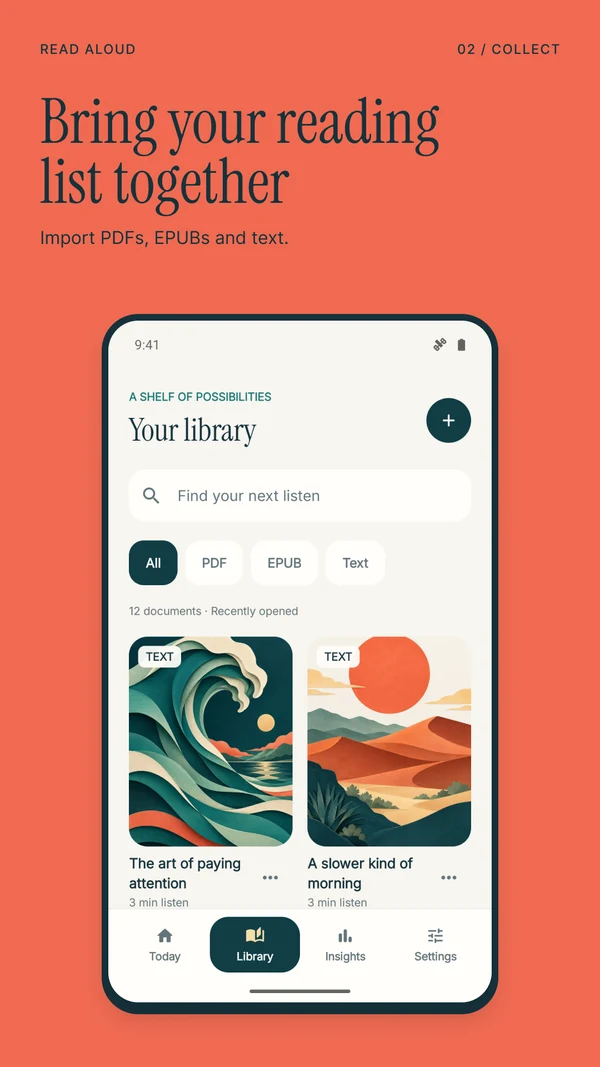
Download the source file, then choose Add content → Import a file in Read Aloud. Select it with Android's document picker and wait for import to finish. Open the library item and confirm that the text you need is present.
If the PDF is in Drive or another provider, complete its retrieval now. For web articles, import the article and check the saved text before disconnecting. A bookmark to a URL is not a substitute for a saved reading item.
Try a representative paragraph and another near the end. Check for layout issues while you still have access to the original source. The Android PDF guide covers image-only scans, columns and incomplete downloads.
Choose an installed local voice
Open Voice studio in Read Aloud and choose the Local filter. Select an available on-device voice and listen to a preview. The Network and Studio choices serve different purposes; use a local device voice for this test.
If the local list is empty, check your phone's text-to-speech engine and installed language data. Google's Android speech settings guide describes choosing an engine and installing voice data. Menu locations vary by manufacturer. Samsung owners can use our Galaxy voice guide.
Download any needed voice data while connected. The voices available inside a reader can depend on the active engine and language. After changing the engine or installing data, reopen the app and check its available voices again. Preview the same sentence so you can recognize the voice you selected.
Run an airplane-mode rehearsal
Use the exact document and voice you plan to take with you:
- Stop playback after confirming that the item works online.
- Turn off Wi-Fi and mobile data. If using airplane mode, check that Wi-Fi has not remained on.
- Return to the library and reopen the saved document.
- Start a passage you have not just been listening to.
- Pause, resume and move to another section.
- Return to the library once more and confirm you can find the item again.
If you plan to use Bluetooth headphones, include them in the rehearsal. Airplane mode and wireless-audio settings can be managed separately on a phone, so confirm the output you intend to use rather than judging success from a moving playback indicator.
Keep the test short. Its purpose is to reveal a missing file, a network-dependent voice or an output problem while you can still fix it. Passing one sample is useful evidence for that setup, not a guarantee about every document or feature.
Diagnose an offline failure
If the document will not open, restore connectivity and check the import or download. If the words appear but speech fails, reselect a local voice and verify the language data. If speech appears to be playing silently, test the phone speaker and check your headphone connection.
If the passage itself is garbled, going online again may not help: the source extraction may already be wrong. Repair that before travelling. Copying a small, authorized section into New text can be a practical fallback for a complicated PDF.
Do not delete the app or clear its storage as a first troubleshooting step. Your saved library is local. Keep original files somewhere appropriate for your normal backup routine.
What about Read Aloud Plus offline audio?
The Play listing also advertises Plus offline audio. Downloaded narration and local device-voice synthesis are different routes. If you intend to use a paid audio-download feature, follow the current app's preparation steps and verify the specific item with networking disabled.
This guide's reproducible starting point is the local voice route. It does not promise that every premium voice can generate new speech offline, or that purchasing Plus automatically downloads all of your documents. Check current feature access before choosing a plan for a particular journey.
Offline listening questions
Can I import a new website while offline?
Website import needs to contact the site. Save and check the article beforehand, or use text already available to you on the device. Learn more about saving web articles.
Is offline listening the same as exporting an MP3?
No. A local voice can speak saved text inside the app without creating a portable audio file. Do not assume MP3 export is included. Learn more about Android recording alternatives.
Will my iPhone library appear on Android?
The apps do not automatically share a synchronized library, and their subscriptions are separate. Prepare the Android device you will actually use. Learn more about preparing an Android document.
Get Read Aloud on Google Play and rehearse with one saved PDF. Free download with optional in-app purchases. Product information and support sources checked on 1 November 2026.