 Read Aloud
The useful answer
On a Samsung Galaxy, open Settings → General management → Text-to-speech. Check the preferred engine, language and voice-data options, then play a sample. In Read Aloud, also select the device voice you want in Voice studio. An app's own premium voice may not use the phone's system voice settings.
Try your own document. Free download; optional in-app purchases.
You change a voice in Samsung's settings, hear a different preview, then return to a reading app and hear the old voice. Often, the two controls are selecting different things. The phone chooses a text-to-speech engine, while an app may remember a particular voice or use a separate online speech service.
Start by identifying the app that is speaking. These steps concern reading documents and text. Bixby, phone-call voices and every notification feature should not be assumed to share one universal voice preference.
Open Samsung's text-to-speech settings
Samsung's official setup guide gives the route Settings → General management → Text-to-speech. If your One UI version labels it differently, search Settings for “text-to-speech.”
Check Preferred engine, then review the language, rate and pitch. Use the sample playback to hear the current result. The engine's settings control exposes its voice-data options; Samsung and Google engines can offer different choices.
Change one setting at a time. When testing the voice itself, keep the reading speed and pitch steady so you can hear which difference comes from the voice selection.
Understand engine, voice and language
An engine is the software that produces speech. A voice is one of the speaking options offered through that engine. A language setting tells it what speech resources to use; it does not translate the underlying document.
Scroll sideways to see all columns.
| Control | Question it answers |
|---|---|
| Preferred engine | Which speech provider should compatible apps use? |
| Language and installed voice data | Which language resources are available? |
| Speech rate and pitch | How quickly and at what pitch does the sample speak? |
| A reader's own voice selector | Which available device or premium voice will this app use? |
For example, choosing an English voice for a French paragraph does not turn the paragraph into English. If the words are already in your preferred language but sound strange, compare a second voice on the same passage before changing the document.
Install voice data when needed
In the text-to-speech screen, open the settings beside the preferred engine and look for Install voice data. Choose an available language or voice package and complete its download. Samsung documents this process for both its engine and Google's engine; the exact offerings depend on the device and installed software.
Return to the sample playback afterward. If the required language is still absent, check the engine's installed resources rather than repeatedly changing the reading app's speed. Google's Android text-to-speech help provides a second reference for engine and language selection.
Downloading voice data is a preparation step. For an offline requirement, verify the actual voice in the reader with networking disabled. A voice appearing in a list does not by itself establish how it operates.
Choose a voice inside Read Aloud
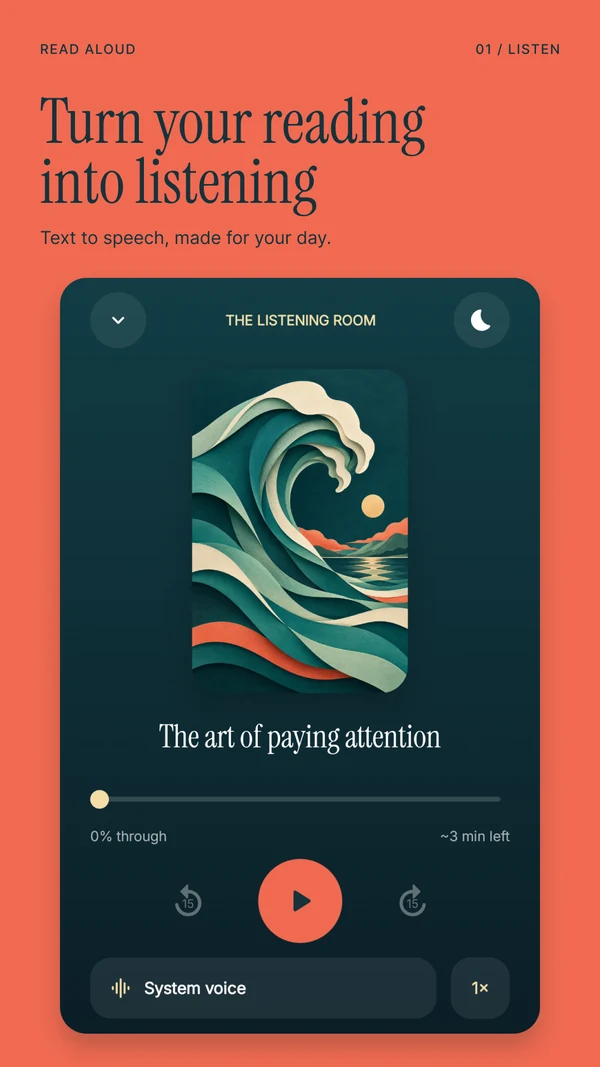
We make Read Aloud for Android. Its Voice studio separates device choices from Studio voices. For a local device voice, open the Local filter, select an available option and listen to its preview. Network voices have connection requirements, while Studio identifies the app's premium choices.
The system list depends on the active engine and available language resources. It is not a catalogue of every voice advertised for every Samsung phone. If you just changed engines or downloaded data, reopen the reader and inspect the available choices again.
Then open a real document and listen to a complete paragraph. The preview tells you the voice works; your own text tells you whether it suits the material. Read Aloud remembers its selected voice, so check that selection when a system-setting change does not affect the result you expected.
Compare voices with a useful sample
Use a short paragraph that resembles what you normally read. Include a long sentence, a number and one name or technical term. Listen at the same speed with two suitable voices and note which is easier to follow.
You might choose one voice for a familiar novel and another for notes containing unfamiliar names. Avoid endlessly cycling through samples without opening the document you actually want to finish. A clear, usable voice is more valuable than a long list of options you never use.
If a name is mispronounced in every voice, check the spelling and the surrounding punctuation. For an imported PDF, the underlying text may contain a broken word or an OCR mistake. Our pronunciation troubleshooting article separates those source issues from voice choice.
When the new voice does not carry over
First confirm that you changed the relevant engine, not a voice assistant setting. Next, check the app's selected voice and whether it is using its own premium service. Finally, compare a short plain-text item with the document causing trouble.
If a system voice works in Settings but the reader shows no matching voice, record the phone model, Android version, engine and language before contacting support. That information is more useful than saying only that the voice sounds wrong. Do not send a private document when a harmless sample sentence reproduces the problem.
Samsung voice questions
Do I need to enable TalkBack to change a reading voice?
No. Text-to-speech settings and the TalkBack screen reader serve different purposes. You can configure speech for compatible reading apps without turning on full-screen navigation feedback. Learn more about Android speech controls.
Will this change Read Aloud's Plus voices?
Do not assume that it will. Plus voices are selected inside Read Aloud and use a separate speech service. The system engine settings concern device speech. Learn more about local and network voice preparation.
Can I use the chosen voice without Wi-Fi?
Choose an installed local voice and test it with a saved document. Follow the offline Android checklist before relying on it for travel. Learn more about offline testing.
Download Read Aloud on Google Play and compare a paragraph from your own PDF or text. Free download; optional in-app purchases. Samsung, Google and app references checked on 1 November 2026. Product names identify the settings discussed and do not imply endorsement.