 Read Aloud
The useful answer
Use Word’s reading controls when you need to stay with a document you are editing. Use Read Aloud for a saved listening copy of an approved PDF or Word file. Confirm the version, check extracted text, and keep tables, edits, and final decisions in the original work document.
What can read a work report aloud on an iPhone?
A work report can be heard through the reading controls in its original app or through a separate text-to-speech reader. Word's own Read Aloud action is a practical starting point for a document you are actively editing. Read Aloud is an option when you want a saved listening collection that includes reports, PDFs, and other reading.
The first decision is where the authoritative copy lives. A separate listening copy can help you review the prose, but it should not become an accidental second version of the project plan. Keep edits and approvals in the original system.
We make Read Aloud. This guide recommends a workflow for individual reading; it does not present the app as an enterprise document-management or compliance service.
Choose the route around the task
Scroll sideways to see all columns.
| Situation | Starting route | What to preserve |
|---|---|---|
| You are editing a Word draft | Word's reading action | The current editable document |
| You need to revisit an approved report | A saved copy in Read Aloud | Title, date, and a route to the original |
| You need a short message spoken once | A built-in selected-text action | The message's original context |
| The document is mostly numbers or diagrams | Visual review with selective listening | Labels, units, and relationships |
These choices can coexist. You do not need to move every file into a single app to get value from listening to a weekly briefing.
Try Word's built-in reading action for an active draft
Microsoft documents the iPhone route as opening the ribbon with the pen icon, choosing Review, then the gear icon and Read Aloud. Its guide also explains playback and rate controls. Availability and sign-in requirements should be checked in your installed Word app. Microsoft's instructions are the source for that route.
This keeps a review close to the place you will make changes. When you hear an unclear sentence, pause and revise the actual draft rather than remembering to transfer corrections from another copy later.
If your task spans several file types, the library route below may be useful for reading them together. The reason to add an app is the reading workflow, not the mere presence of a play button.
Prepare the right version before importing
Use a filename that tells you what the document is and when it was current. “Launch brief — approved 16 Oct” is easier to distinguish from a draft than “final-final-new.” Preserve a link or note pointing to the original work system.
Only use documents your workplace allows you to place in the chosen app. Check its privacy and processing information against your organization's requirements; a personal reading app should not be assumed to provide enterprise controls. For a trial, a public report or your own non-sensitive writing is enough.
For Word files, a properly saved DOCX is a straightforward starting point. A PDF should contain usable text. Renaming an extension does not convert the underlying format. Our Word-document guide explains preparation and import limits.
If your report is in Apple Pages, export a Word or PDF listening copy before importing it into Read Aloud.
Import a listening copy into Read Aloud
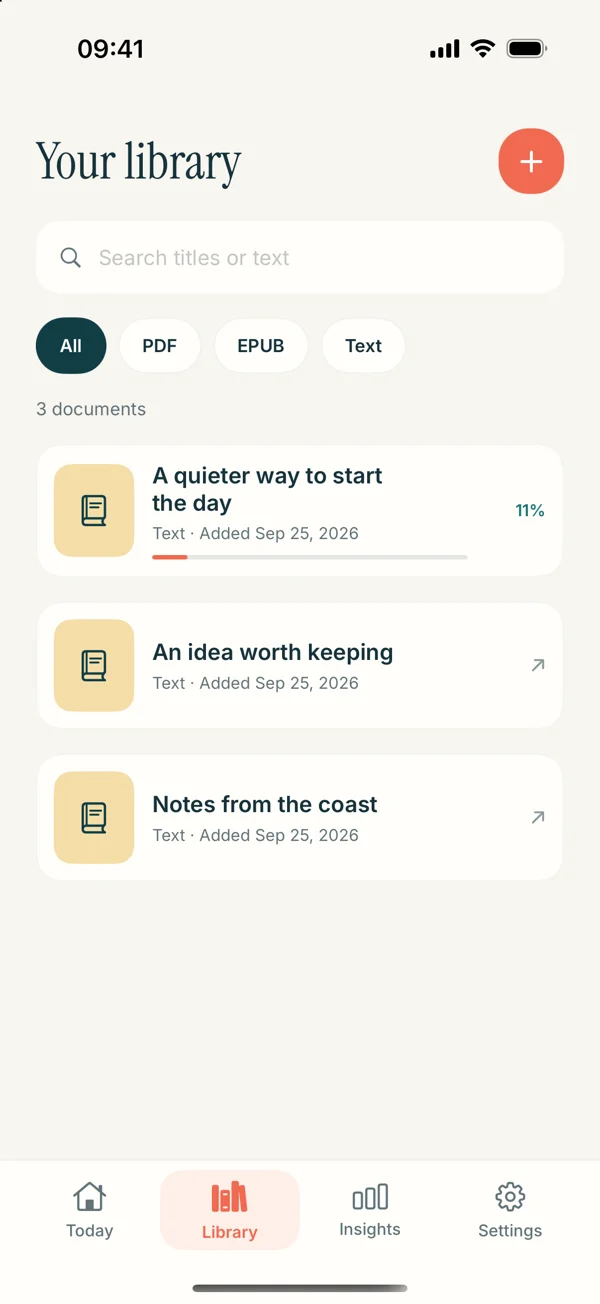
Save the file in a location accessible through the iPhone Files app. In Read Aloud, open Add content, choose the file import route, select the document, and open the saved item. Check the opening, the ending, and a section with a heading before beginning a long session.
Choose a voice you can access and set a pace that suits the material. Premium voices and selected features require Plus; a free download does not imply every reading option is included. The current App Store listing describes the app and purchase boundary.
The imported copy is for listening. When you identify a change, return to the authoritative document and apply it there. Do not assume changes to the source automatically update an earlier import.
Listen for a decision, not just the end of the file
Give the session a purpose. For a briefing, ask: “What does the team need from me?” For a proposal, ask: “Which assumption should I question?” For a draft you wrote, ask: “Where does the reader lose the thread?”
That question makes pauses useful. Save a bookmark or write a short note with the section and the issue. “Check whether the launch date depends on legal review” is more actionable than a marker labeled “important.”
When the text reaches a table, look at the original. Hearing several values in sequence rarely communicates the relationship between row labels, dates, and units. Use listening for the explanation around the table and inspect the evidence visually.
A worked example: preparing for a project meeting
Suppose you have a five-page status report and a short meeting agenda. Before importing, confirm that both are the versions distributed for the meeting. Name them so their relationship is obvious.
Listen to the report's summary and mark the sentence that states the main delay. Continue to the dependencies section and note which team owns the next action. Pause at the schedule table and check the original dates. Then read or listen to the agenda and decide where your question belongs.
Your output is three items: a dependency to clarify, a date to confirm, and a question for the meeting. You have used speech to review the narrative while preserving visual checks for the details that drive a decision.
This workflow does not require a generated summary. It works because you chose a question and returned to the source whenever the spoken version was insufficient.
What to do after the document changes
Treat a new revision as new material. Before relying on yesterday's listening copy, compare its title or date with the current source. If the report changed, import the relevant new version and mark the older one clearly in your own organization system.
Bring forward only the notes that remain relevant. A question about a paragraph removed from the new draft should not survive merely because it was bookmarked. This small review keeps your listening collection useful without turning it into an unmanaged archive.
For a writing review rather than meeting preparation, follow our essay and draft proofreading workflow. It focuses on sentence-level revision while this page focuses on choosing and reviewing work documents.
Common work-reading questions
Does importing a report keep it synchronized with the original?
Do not assume that it does. Treat the imported document as a listening copy and verify the current version in the original system before acting on it.
Can I listen to tracked changes or complex tables reliably?
Check those elements in the source application. A speech workflow should not be used as proof that every revision mark, annotation, or table relationship has survived extraction.
What should I try first?
Use one approved, text-based report with a clear question in mind. Download Read Aloud, test its import, and complete one short review before adding other work material.