 Read Aloud
The useful answer
For a saved library of your own PDFs, DRM-free EPUBs and text, try Read Aloud on iPhone. For an occasional selectable passage, Apple's built-in Speak Selection may be enough. Keep Voice Dream on your shortlist if Bookshare, DAISY, a pronunciation dictionary or its documented accessibility tools are essential to your workflow.
The right Voice Dream Reader alternative depends on what you want to change. Reading one paragraph aloud, keeping a library of ebooks and navigating an accessible textbook are different jobs. A replacement that handles the first well may leave a gap in the third.
We develop Read Aloud. This is a source-based comparison, checked on 1 November 2026, rather than an independent performance test. The alternatives below are selected for two distinct tasks: ongoing document listening and occasional speech without another download. Voice Dream is a separate product and does not endorse this comparison.
Start with the feature you cannot lose
Before moving your library, write down three things: the formats you use, the controls you depend on and where your documents live. Include any assistive technology you use to operate the app. Do not assume that two products offering text to speech have identical navigation or accessibility support.
Scroll sideways to see all columns.
| Your main task | Option to investigate first | What to check with your own content |
|---|---|---|
| Hear a short, selectable passage in the app you already use | Apple's built-in speech | Whether that app exposes the text to selection and speech |
| Save your own PDFs, EPUBs and pasted text for repeated listening | Read Aloud | Import quality, chapter or sentence navigation, and the voice you prefer |
| Keep a specialist accessible-book workflow | Voice Dream Reader | Your book source, required format and access controls before changing apps |
Treat this as a shortlist, not a ranking. If your current setup already handles an essential task well, keep it available while testing the replacement.
Read Aloud for a personal PDF and EPUB library
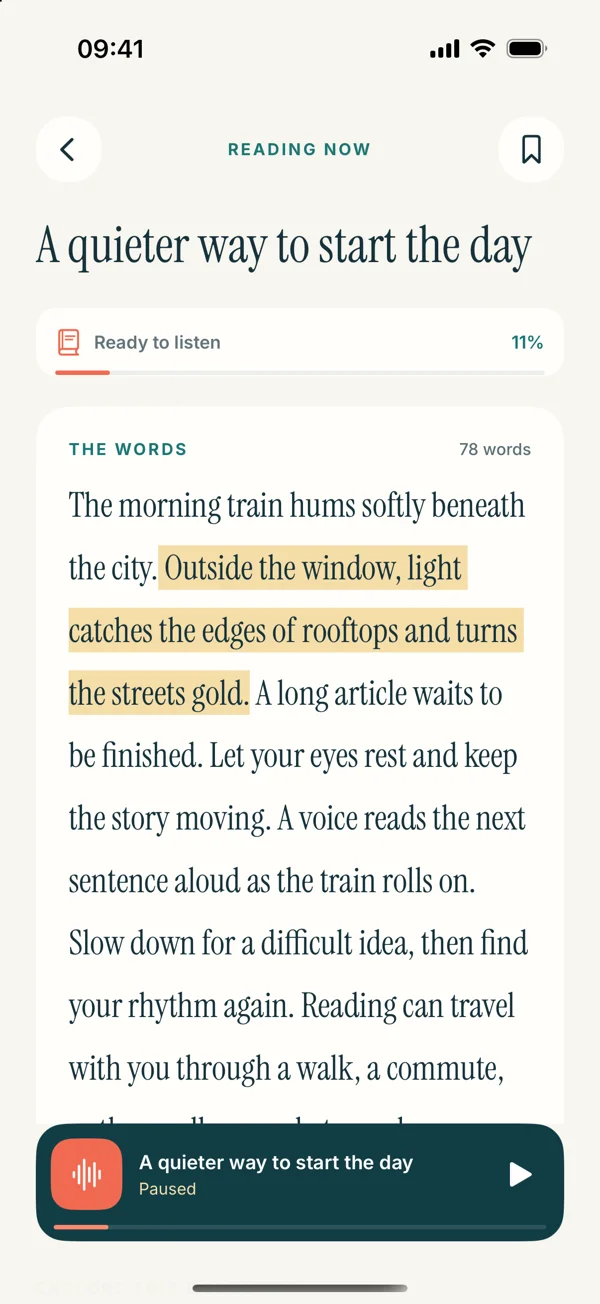
Read Aloud's iPhone workflow starts with material you bring: a file from Files, pasted text, a website or text extracted from an image. You save a library item, open it and choose a listening pace. That makes it a candidate when you want your documents together rather than repeatedly selecting a passage in another app.
For a first comparison, choose a text-based PDF with straightforward paragraphs. Import it through Add content, open the saved item and listen to its opening section. Check that a sentence ends before the next one begins and that repeated headers have not interrupted the order. A successful import matters more than a format appearing in a feature list.
Then try a DRM-free EPUB. Check the first chapter, move to another chapter and confirm that the content you expected is present. A protected purchase from another ebook service is a different case; see why an EPUB may not open before treating that as a reader defect.
Read Aloud follows the spoken sentence in supported text views. It is not a promise of word-by-word highlighting over every original PDF layout. The iOS app also does not offer the Bookshare integration, DAISY workflow or automatic library synchronization discussed below for Voice Dream. If one of those is your reason for choosing a reader, do not substitute a general document workflow without checking the gap.
Download Read Aloud for iPhone and iPad and try one representative document. The download is free, with optional in-app purchases; review the current purchase screen for the features and plan you want.
Apple's built-in speech for an occasional passage
If your immediate goal is to hear selected text, another document library may be unnecessary. Apple documents Speak Selection and Speak Screen in its accessibility speech settings. Current iPhone documentation calls the settings group Read & Speak; older systems may show Spoken Content. Enable the relevant control and try it in the app displaying your text. Apple's speech instructions explain the available controls.
This is worth trying for a paragraph in a draft or a short page you are already viewing. It keeps the task close to the original text. It does not create a Read Aloud library item, and a screenshot or scan may first need text extraction.
For longer sessions, ask whether you want to remain in the original app or save a separate listening copy. Our Apple Read & Speak comparison explores that choice in more detail.
When keeping Voice Dream makes sense
Voice Dream's current App Store description lists a custom pronunciation dictionary, Bookshare access, DAISY support, iCloud library synchronization and controls designed for VoiceOver, Braille and switch access. These are meaningful requirements, not incidental extras for someone who uses them daily. Its file-import documentation also describes PDF, Word and DRM-free EPUB support.
Make a specific migration checklist. Can you open the books you already have? Can you reach the playback controls using your preferred access method? Can you return to the correct location on the device you actually use? If a replacement fails a required step, a nicer voice sample is not enough to make it suitable.
The current Voice Dream App Store listing says access requires a subscription and describes a trial for new users. Check the offer shown to your account; older purchases and current regional offers should not be inferred from an old review. We have not claimed that Read Aloud is cheaper for every user or that its free download unlocks every feature.
Run a small comparison before moving everything
Use the same short PDF and DRM-free EPUB in each app you are considering. Keep a note of four observations:
- Import: did the expected text and chapters arrive?
- Listening: is the selected voice comfortable at a pace you can follow?
- Navigation: can you pause, find the next section and return without losing your place?
- Access and cost: can you use your essential controls, and is the required feature included in the offer presented to you?
Keep your original files. Moving a document is not the same as transferring annotations, bookmarks or reading positions between products. Start with one reading session before rebuilding an entire library.
Frequently asked questions
Is there a free alternative to Voice Dream Reader on iPhone?
Apple's built-in speech is an option for accessible, selectable text without buying another reader. Read Aloud is free to download with optional purchases. The useful question is whether the particular task you need is available under the option you choose. Learn more about built-in speech.
Can Read Aloud replace Voice Dream for PDFs and EPUBs?
It can be an alternative for your own supported PDFs and DRM-free EPUBs. Test the actual file, especially a PDF with columns or an ebook from a restricted service. That is not a claim of complete feature parity. Learn more about EPUB restrictions.
Will my existing library and bookmarks transfer automatically?
Do not plan on an automatic migration into Read Aloud. Import the original supported files and check them individually; app-specific bookmarks and annotations are separate data. For a practical first document, learn how to prepare a PDF for listening.