 Read Aloud
The useful answer
A webpage contains navigation and other text besides the article. Check that you imported the direct article URL, compare the extracted body with the source, and use a permitted clean text copy if extraction remains cluttered.
Why the voice is saying “subscribe” again
A web reader can sound oddly distracted: a headline, a menu item, half a paragraph, then a list of unrelated recommendations. The speech engine may be doing exactly what it was given. The problem is that the imported text includes the surrounding website rather than only the article.
Webpages are assembled for interactive visual use. Menus help you move around, banners request actions, and cards point to other stories. A person can visually ignore much of that context. An extractor has to decide which words belong to the main reading item, and that decision can fail.
The useful repair happens before playback. Inspect the source and the extracted body, then decide whether a better URL, another source route, or a small cleaned copy will solve the task.
Make sure you imported the article itself
Start with the URL. A search results page, homepage, category archive, or social feed may show a headline and opening lines without containing the complete article. Follow the item to its direct page and copy that address.
If the link redirects through another service, confirm the final page in your browser. You want the actual source article, not a sharing wrapper that contains only metadata and a button. A title visible in a browser tab is not enough to prove you have the full text.
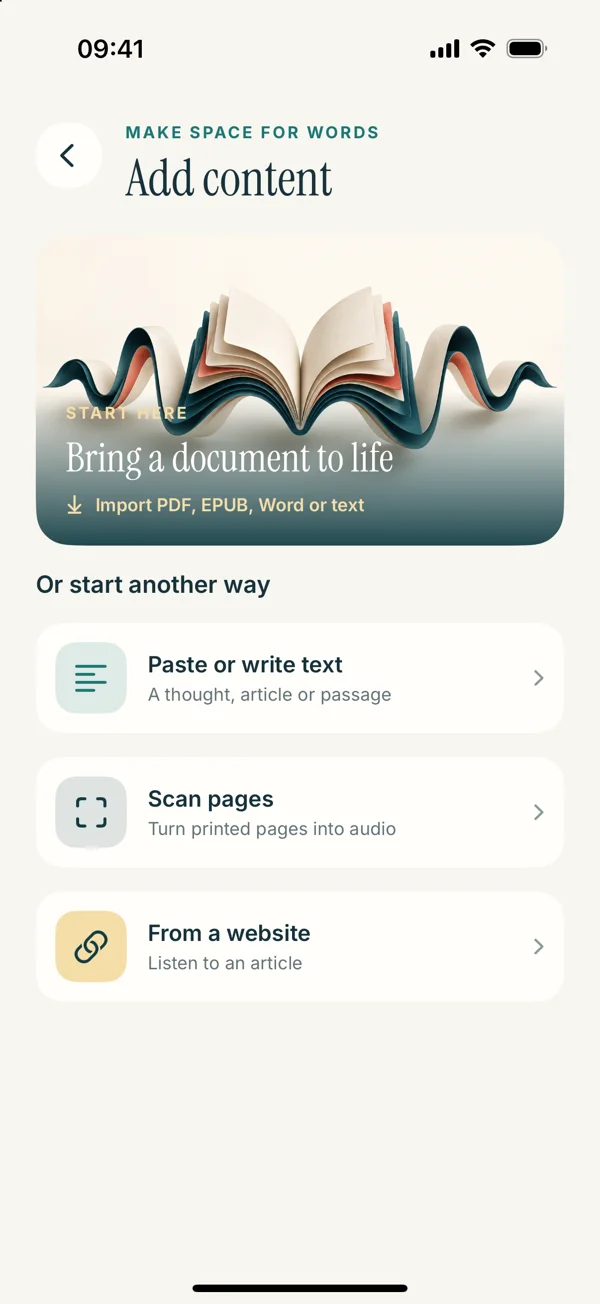
For Read Aloud’s upcoming interface, the route is Add content, From a website, then the direct URL. The webpage listening guide explains the broader workflow and the difference between the current and upcoming screens.
Compare three locations in the imported text
Check the beginning, a middle paragraph, and the ending against the original page. This gives you more information than reading the first few lines alone. A successful opening can conceal an incomplete body or an unrelated tail of recommended links.
At the start, look for cookie notices, accessibility navigation, and site slogans before the actual article. In the middle, look for abrupt topic changes or repeated headings. At the end, check whether the conclusion is present before comments and recommendations begin.
Do not assume every short line is clutter. A subtitle, author credit, or caption may provide meaningful context. Your goal is to distinguish the main content and useful supporting information from elements that only make sense as website navigation.
Separate clutter from missing access
A page that imports a login message is not merely noisy; the importer may not have access to the article body. Your browser can be signed in while another app’s request is not. Copying the link does not necessarily carry the same session.
Use a publisher-provided download or export route if available. If your access permits a personal text copy, copy the relevant passage and check it. Do not expect an importer to bypass a paywall or reconstruct text that was never provided to it.
This distinction matters because the solutions differ. Removing navigation can clean a complete article. It cannot create missing paragraphs from a teaser. Before editing, confirm that the main body is actually present.
Decide whether the article view helps
A browser’s article or reader view, when available, can make the prose easier to inspect and select. It may remove visual distractions, but it should still be checked for completeness. Some pages have essential captions, footnotes, or later sections that need a separate look.
If you only want a one-time listen, the browser’s own speech option may be enough. Apple documents supported-page listening in its Safari guide. If that action is missing, our Safari troubleshooting article provides a fallback sequence.
If your goal is a saved reading list, prepare an accurate version that you can return to in the app. The route should serve that purpose rather than adding a conversion step simply because it is available.
Prepare a clean listening copy
Copy the article text you are entitled to use into a separate working document. Preserve the title, source, and meaningful paragraph boundaries. Remove navigation labels and repeated promotional blocks only after confirming they are not part of the article’s argument.
Keep a record of the original URL so you can revisit images, corrections, and references. If you remove material such as a bibliography from a first-pass listening copy, make that scope clear to yourself and return to it when you need to verify the source.
Do not rewrite uncertain sentences simply to make them sound smoother. If the words seem broken, compare them with the original. A cleaned listening copy should preserve the author’s meaning rather than quietly becoming a paraphrase you may later mistake for a quotation.
A worked example: a long magazine feature
Imagine a feature article whose page includes a top navigation bar, a photo caption after the third paragraph, a newsletter box halfway through, and related stories at the end. The import includes all of those elements as plain text.
Begin by locating the actual first paragraph and the final paragraph. Keep the photo caption if it explains something relevant, but place a note in your listening plan to inspect the image if its visual content matters. Remove the newsletter request from the personal listening copy because it is an action prompt outside the narrative.
At the end, stop the copy after the article’s conclusion unless you deliberately want the comments or references. Save the result with the article title and source. A short test playback should now follow the story rather than the website’s navigation sequence.
A worked example: a recipe or instruction page
An instruction page may contain an introduction, ingredients, numbered steps, advertisements, and comments. Do not automatically remove the introduction or ingredient list simply because your main interest is the steps; some context may affect how the instructions should be understood.
Instead, choose a clearly labeled excerpt for the task. If you want to review the method, preserve the step order and all relevant quantities. Check numbers carefully after copying. An omitted unit or a merged line can make instructions confusing even when the voice sounds fluent.
Keep the original visible when acting on detailed instructions. The listening copy is a convenience, not a reason to stop checking the source. If the page contains a warning or qualification, retain it rather than treating it as visual clutter.
Fix line breaks without flattening the structure
A copied webpage can contain unexpected breaks inside sentences or missing breaks between list items. Clean them according to meaning. Join an accidental mid-sentence break with a space, but preserve the boundary between separate instructions or ideas.
For a long passage, review one section at a time. A global removal of every newline can create a dense block that is harder to follow than the original. The copied-text cleanup article provides examples of sentence, paragraph, and list boundaries.
Do not use speed to compensate for a poorly prepared source. Faster speech may get through the navigation fragments sooner, but it also makes the actual article harder to follow. Fix the input first, then adjust the pace.
Keep quotations and attributions connected
Articles often contain quoted material, interview responses, or alternating speakers. If you remove visual labels without preserving who is speaking, the listening copy can become ambiguous. Keep enough attribution to understand each passage.
When you create your own notes around an excerpt, make the distinction obvious. A line such as “My note:” separates your interpretation from the author’s words. This is particularly useful when you plan to return later and no longer remember which changes you made.
If exact wording matters, verify the quotation in the original before using it elsewhere. A saved reading extract can be useful for listening but should not become your only evidence when the source is available to inspect.
Save and test in Read Aloud
Use Paste or write text in the upcoming interface for a prepared copy, or retain a successful website import in the library. Give the item a recognizable title and play a representative section. The iPhone guide explains the saved-text route.
Choose a familiar system voice first so the test focuses on the source. After the reading sequence is correct, compare voices using the voice guide. Optional Plus voices have separate paid access, so check the app before choosing a locked option.
The current App Store release is 1.0.2, while the screens on this site preview 1.0.3. Website imports already exist in the public app, but the layout of the steps may differ.
Know when to stop trying the same import
If the same direct URL repeatedly yields menus or a teaser, another identical attempt may not help. Choose a permitted text copy, a publisher-provided file, or the browser’s own reading route. Each is a reasonable response to a source that does not extract cleanly.
For a page built around interactive graphics, accept that continuous speech may cover only part of the experience. Listen to the prose and inspect the visual sections separately. That can preserve more meaning than an aggressively simplified text extract.
The goal is a coherent article you can hear and verify. Once you have that, save it and spend your time with the content. A reading list becomes useful when its entries are actually readable, not merely when they have been imported.