 Read Aloud
The useful answer
Choose one readable article before leaving, import its URL or permitted text into Read Aloud, check the result, and start with an available voice. Use the library for articles you plan to revisit. Test your chosen content and voice under your travel conditions; do not assume universal offline playback.
What app can read saved articles during a commute?
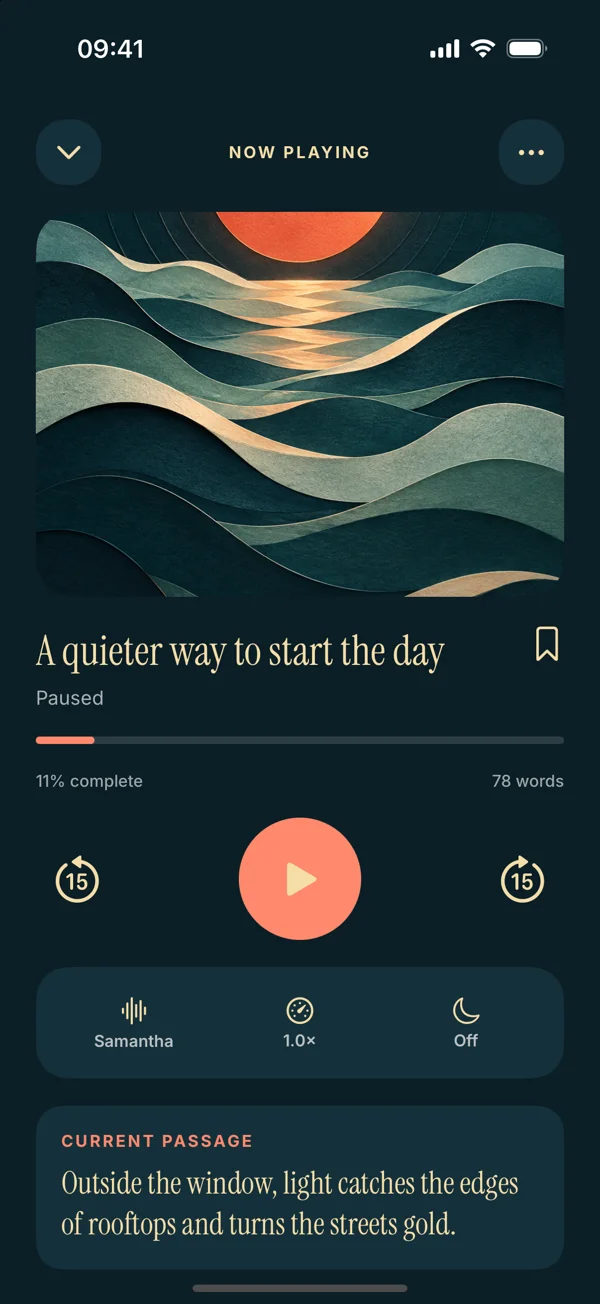
Read Aloud can provide a listening library for articles you want to hear on your phone. It is a useful option when a piece begins as a website or saved passage and you want to return to it later. For a single supported page already open in Safari, Apple's Listen to Page is another route to consider.
The routine works best when preparation happens before travel. Choose the article, check the words, and set a comfortable voice while you can still look at the screen. Then the journey can be a listening session instead of a series of import decisions.
This article is published by Read Aloud's developer. It describes a practical routine rather than promising that listening during every journey is useful or that every voice works without a connection.
Pick between a single-page action and a reading library
Apple documents Listen to Page for supported webpages in Safari. That can be enough when you want to hear the article in front of you. Apple's Safari guide describes the feature.
Read Aloud is worth trying when you want the article alongside other saved reading. For example, you may want to return to the same essay on two journeys or keep it next to a related PDF. The app's current listing describes saved reading progress, voice choices, bookmarks, and notes.
Scroll sideways to see all columns.
| Your plan | A suitable first test |
|---|---|
| Hear one supported webpage immediately | Safari's page-listening action |
| Keep articles for repeated sessions | Read Aloud's saved-library workflow |
| Listen during poor connectivity | Test the exact content and voice beforehand |
| Hear a subscription-only article | Use a permitted accessible source; do not assume another app shares your login |
The useful distinction is what you need tomorrow. If there is no return task, a quick page action may already be sufficient.
Choose one article you actually want to finish
Start with a piece whose central question interests you. A title saved out of vague obligation is unlikely to become compelling merely because a voice reads it. Give the session a manageable purpose: understand one argument, hear one interview, or revisit one explanation.
For a first trial, choose ordinary prose rather than a live blog, a gallery, or a page built around charts. Those formats can depend on navigation and visual context that do not translate neatly into a continuous listening session.
Do not build a huge queue before proving the routine. One article that imports correctly gives you more useful evidence than twenty links you have not opened.
Prepare the article in Read Aloud
On iPhone, open Add content, choose From a website, and paste the direct article URL. After the import, inspect the title, opening paragraphs, and ending. The webpage listening guide walks through that route.
Check that you have the article rather than navigation links, a cookie message, or a login prompt. A website can serve different content to an import request than to your signed-in browser. If extraction fails, use a permitted text copy through Paste or write text, or keep reading in the original service.
Give the saved item a recognizable title. Including the author or publication can help distinguish two articles on the same topic. Preserve the source URL somewhere you can return to it for an image, correction, or follow-up link.
Make a short audio check before leaving
Play a paragraph that includes the article's usual sentence length and a name or acronym. Set the pace for the material, not for an imagined productivity target. If you are listening in a busy environment, a slower setting may be more comfortable than one you use while reading along at home.
Test the audio destination with the headphones you plan to use. Pause, resume, and check that you can find your place. If you expect weak connectivity, test the exact content and voice under those conditions before relying on them. This site does not promise that every app operation or premium voice is available offline.
Read Aloud is free to download, with Plus required for premium voices and selected features. Use an available voice for the first session and decide about optional access after you know the routine is useful.
A worked example for a train journey
Suppose you have an essay about urban gardens and a related short news article. Save the essay first and check its text. Your question is: “What does the author think makes a shared garden last?”
During the journey, listen to the introduction and the section that describes the main example. Pause when the author refers to a diagram you need to see. Save that point for later rather than trying to infer the drawing from the surrounding sentences.
On a later journey, return to the essay before starting the news article. Compare the practical example with the newer report. You now have a small reading thread rather than an expanding pile of unrelated unfinished links.
This example is a suggested habit. It does not depend on an automatic queue, generated podcast, or cross-device synchronization feature.
Keep the return point simple
When you stop, leave yourself one useful clue: the heading, a question, or the reason to continue. A bookmark near “How the project was funded” paired with “check the long-term costs” carries more meaning than several unlabelled markers.
If you are not in a position to operate your phone comfortably, leave the note until later. Prepare controls before travel and keep attention on your surroundings when moving. The reading should fit the journey rather than demanding constant screen interaction.
Our bookmarking guide explains a deliberate return-point routine. The aim is to make the next session easy, not to document every sentence you heard.
Troubleshoot the article before switching apps
If the voice reads menus, inspect the imported text. If names sound wrong, check spelling and language. If playback stops, identify whether the source, selected voice, connection, or audio output is involved. Different symptoms need different fixes.
The article-extraction guide covers unwanted webpage text. The no-sound checklist covers playback diagnosis. Those focused checks are more useful than repeatedly importing the same broken source.
Common questions about commute listening
Can Read Aloud bypass a paywall?
This workflow does not bypass access controls. Use content you are entitled to access and import, and expect signed-in pages to behave differently from public articles.
Does saving an article guarantee offline listening?
No universal offline promise is made here. Check the exact saved content, voice, and controls under the conditions you expect to use.
Is this the same as turning an article into a podcast?
This routine reads the article's text inside the app. It does not create a separate podcast feed or promise a downloadable audio episode.
How should I begin?
Try Read Aloud with one public article you want to finish. Prepare it before leaving, listen to one section, and keep a clear return point for the next session.