 Read Aloud
The useful answer
Bookmark a passage because you know why you want to return to it. Separate a stopping point from an important idea, use clear document titles, and review a small set of purposeful markers after listening.
A bookmark should carry an intention
It is easy to save a passage because it sounds interesting. After a long session, however, a list of twenty interesting passages can feel like another reading backlog. The missing piece is often a reason to return.
Before saving a location, name its purpose. You might want to verify a claim, quote a definition, revisit an example, or ask a question about a confusing transition. That intention makes the bookmark useful when the sentence is no longer fresh in your memory.
The upcoming Read Aloud release includes bookmark and saved-passage workflows. This article suggests a way to use them thoughtfully; it does not claim automatic categorization, annotation export, or synchronization with other tools.
Separate progress from importance
A stopping point answers “Where was I?” An important passage answers “What do I need to revisit?” Those are related but different questions. If every pause becomes an important bookmark, your review list may become cluttered with locations that no longer matter.
Use the app’s available progress and navigation controls for continuing a session, and reserve deliberate markers for a specific reason when possible. If you keep an external note for your stopping point, include a chapter or phrase that helps you reorient yourself.
A saved progress percentage alone may not tell you what the argument was doing. When you return, read or hear a little context before moving forward. Resuming a sound is not always the same as resuming understanding.
Choose a small set of bookmark purposes
You do not need a complex taxonomy, but a few recurring purposes can help. One marker might mean “check the source,” another “use this example,” and another “I do not understand this yet.” These are intentions you can express in your own notes, not built-in labels promised by the app.
Keep the wording short and concrete. “Compare this definition with chapter two” is more useful than “important.” “Check the date against the original table” tells you what action to take later.
If a passage is simply enjoyable, that is a valid reason too. A favorite line can have a place in your reading routine without pretending to be a research task. The key is knowing why you saved it.
Give documents recognizable titles
A bookmark is easier to use when the source document is easy to identify. Titles such as “New document” or “download-4” force you to reopen items just to remember what they contain. Name a listening copy by topic, source, and scope when appropriate.
For a draft, include the review date or version. For a study excerpt, include the chapter or question. For an article, retain the source title and a link in your notes. These details help you distinguish similar passages across several reading items.
The upcoming Read Aloud library supports finding saved content, but a useful filename remains valuable. Search works best as part of a clear collection, not as a substitute for knowing what a document represents.
Bookmark at a meaningful boundary
A marker placed in the middle of a sentence can be difficult to interpret later. When practical, choose the beginning of the relevant paragraph or another location that preserves enough context. The exact behavior depends on the reading view, so check where the app actually returns you.
If the issue concerns a transition, save enough surrounding text to understand both sides. A single striking sentence may be misleading without the qualification that follows it. For a quote, keep the source reference and verify the full wording before using it elsewhere.
This is especially important in long-form listening because the voice keeps moving. A marker is a way to postpone a careful look, not evidence that you already understood or verified the passage.
Use the upcoming app’s saved-passage tools deliberately
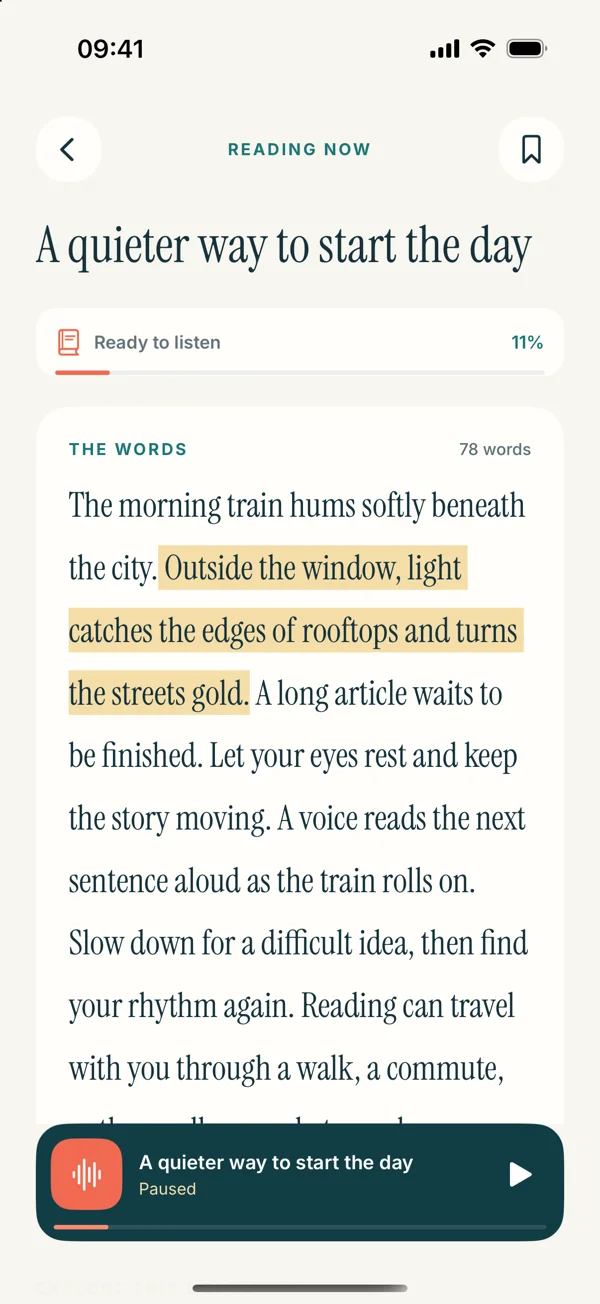
In the redesigned Read Aloud text reader, a bookmark control is available near the reading context. Tap the bookmark icon to save a location. To return, open Settings, then Saved passages, choose Bookmarks, and select the relevant card or Return to passage action. Confirm that it brings you back to the intended document and context.
The site’s screens preview version 1.0.3, while the public App Store release is currently 1.0.2. The current interface and available tools may differ. Follow the controls in your installed version and do not assume an upcoming screen is already present.
For a first test, use a short document you know. Save one marker, leave the reader, and return through the saved location. Learning that small loop is more useful than creating many markers before checking how they behave.
A worked example: a research article
Suppose you are listening to a long article for a project. You hear a useful definition, an unfamiliar statistic, and an example that might support your own argument. These are three different reasons to return.
For the definition, note the term and source location. For the statistic, note that you need to verify the original evidence. For the example, note what role it might play in your project. The markers now represent actions rather than a general feeling that the article was interesting.
After listening, open only those passages and perform the relevant checks. You may decide not to use two of them. That is a successful review outcome; a bookmark’s purpose is to support a decision, not guarantee that every saved passage becomes permanent material.
A worked example: a novel
For fiction, bookmarks may serve a more relaxed purpose. You might save a line you enjoyed, a place where you want to reread a conversation, or a detail you suspect will matter later. You do not need to turn leisure reading into a formal annotation exercise.
When you return, include enough context to recover the scene. A line that sounded striking in a narrator’s cadence may mean something different in the surrounding paragraph. Reading it visually can be part of the pleasure rather than a verification chore.
If you are using an EPUB in the upcoming app, the EPUB listening guide explains the source and import requirements. Use a compatible, DRM-free file rather than assuming every store purchase can be brought into the library.
A worked example: proofreading a draft
During a listening review of your own writing, a bookmark can identify a place that needs revision. Pair it with a short note about the issue: an abrupt transition, repeated idea, or sentence that carries too much information.
Apply the correction in the original writing document, then create a fresh listening copy if you need another pass. A marker in an older draft may no longer map neatly to the revised version, so keep version titles clear.
The proofreading article explains the full loop. The marker is only a handoff between noticing a problem and editing the source. It should not become a substitute for actually making and checking the revision.
Review markers while the session is still familiar
After a section or session, spend a short moment looking at what you saved. Delete or disregard markers that no longer have a purpose in your working routine, and clarify any note whose meaning is already fading. You do not need to perform every deeper task immediately.
This review prevents a long delay from turning a useful marker into a puzzle. A few words explaining why you saved the passage can preserve the insight with very little effort.
For a large document, review one small group at a time. A giant list encourages indiscriminate saving and postponement. A focused group makes it easier to decide what to verify, use, reread, or leave behind.
Keep the original available for exact work
If you plan to quote, cite, or act on a passage, return to the authoritative source. A listening copy may have been cleaned, shortened, or prepared from recognized text. The bookmark locates an idea; it does not certify exact wording or context.
For a PDF, page layout and figures may matter. For a webpage, the publisher may update the article. For your own draft, a later version may change the sentence. Keep source references clear enough to identify the version you actually used.
The PDF guide and web guide explain preparation checks for those sources. A good saved-passage routine starts with accurate material.
Avoid turning every sentence into a marker
If you feel compelled to bookmark nearly everything, pause and reconsider the goal of the session. You may be reading a source that needs a different method, such as a visual outline or a worked example, rather than a long list of isolated locations.
Choose the few passages that answer your current question. You can always return to the whole document later. Selectivity makes each saved point easier to use and reduces the sense that every interesting idea has become another obligation.
For study, the short listening routine suggests starting with one question. For dense material, the speed article explains why pauses and smaller sections can be more useful than continuous playback.
Build a return path, not another backlog
A purposeful bookmark connects a source, a location, and a reason. Clear document titles make the source recognizable. A meaningful boundary makes the location understandable. A brief intention tells you what to do when you return.
Try the method on one document with only a few markers. Check that each one leads somewhere useful, then review them after listening. Keep what helps and simplify what feels like unnecessary administration.
Read Aloud can keep reading and listening close together. The useful habit is yours: save a passage because you know why it deserves another moment, then give it that moment when you return.