 Read Aloud
The useful answer
Text to speech generates a reading voice from written content. An audiobook is a prepared recording, often with a narrator’s performance. Choose based on the source you have and the experience you want.
Two ways to hear a book, two different starting points
You want to listen to something you would otherwise read. That could mean choosing an audiobook from a catalog, or opening your own document in a text-to-speech app. The resulting activity involves spoken words, but the route and the experience are different.
An audiobook begins with a recording prepared for listening. Text to speech begins with text that a system reads using a selected voice. A speech reader can therefore work with material that was never professionally narrated, such as a personal draft or an accessible report.
Neither description makes one method better in every situation. A performed novel and a working document serve different needs. Understanding the distinction helps you choose a tool without expecting features that belong to the other category.
What a narrator contributes
A narrated audiobook may include deliberate interpretation: pacing, emphasis, character voices, tone, and choices about how a scene unfolds. Those choices are part of the performance. For some readers, that is the main reason to choose the audio edition.
A text-to-speech voice produces speech from the written input. It may sound comfortable and expressive, but it is not the same as a narrator preparing and performing the work. Ambiguous names, unusual punctuation, and dialogue can be treated differently from what you imagined while reading silently.
If a particular performance matters to you, listen to the audiobook’s sample. If access to your own text matters more, test that text with a speech reader. The best comparison uses the material and experience you actually want, not a generic claim that one type of voice always wins.
What a text reader makes possible
A text-to-speech app can be useful for documents that do not have a commercial audio edition. You might want to hear a proposal you wrote, a public article, a chapter in a compatible EPUB, or a text-based PDF someone sent you.
The source still has to be usable. A protected ebook may not be importable into another app. An image-only PDF needs recognized text. A webpage may expose only a teaser or login prompt to an importer. These are input limitations, not simply voice-quality issues.
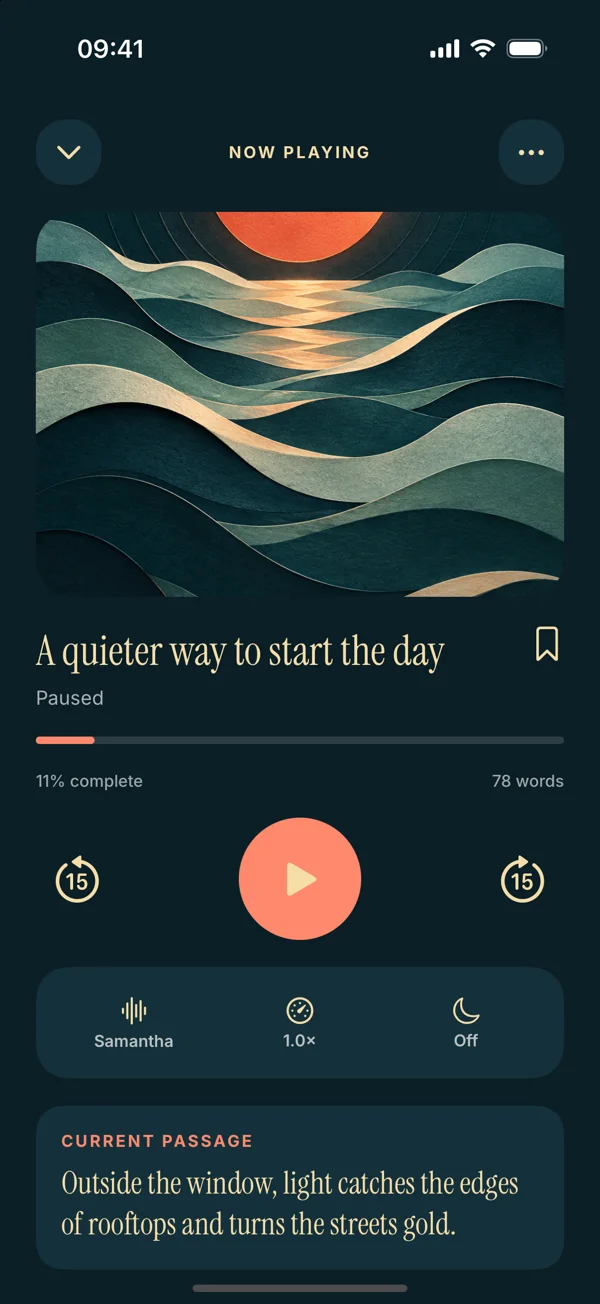
Read Aloud focuses on a saved reading workflow with text, documents, and articles. The site’s detailed EPUB, scanning, and redesigned import instructions preview version 1.0.3. The current App Store release is 1.0.2, so check the release before expecting those upcoming routes.
In-app listening is not an audio export
The phrase “turn an ebook into audio” can create an expectation of an MP3 file. That is not necessarily what a reading app does. It may provide playback inside the app without offering an exported recording you can move elsewhere.
Read Aloud is presented here as an in-app listening tool. This website does not claim MP3 export, a private podcast feed, or the creation of a distributable audiobook. If your goal is a downloadable production file for publishing, you need to evaluate a tool built for that purpose and its applicable rights.
This distinction also helps with organization. A book in a reading library is not automatically an episode in your podcast player. Choose the workflow that matches where you want to listen and what you need to do with the result.
Compare control over the reading source
With your own text, you can prepare a listening copy suited to the task. For a draft, that might mean selecting one section for review. For a copied article, it might mean removing accidental navigation fragments while preserving the author’s words.
That flexibility comes with responsibility for accuracy. If you change the source, keep the original and know what you changed. A cleaned excerpt should not silently become a replacement for a complete report or an exact quotation.
An audiobook generally arrives as an already prepared sequence. You are evaluating the recording rather than extracting and checking the text yourself. That can be convenient when your goal is simply to enjoy the performance rather than work with the written source.
Think about your reason for listening
For entertainment, the voice performance may matter as much as the words. For proofreading, you may want a relatively neutral reading that helps you notice awkward phrasing. For study, you may need the source visible so you can stop at a diagram or inspect a term.
Name the task before choosing the format. “I want to enjoy this novel on a walk” is different from “I want to hear whether my introduction makes sense.” The first may favor an audiobook sample you love; the second calls for your own text and a repeatable review process.
You can also mix methods. Listen to a narrated edition for enjoyment and use text to speech for your own documents. There is no requirement to make one tool serve every kind of reading you do.
A worked example: a personal essay
Suppose you have a thousand-word essay draft. There is no commercial audiobook because the text is yours and still changing. A speech reader lets you hear a snapshot of the draft without recording yourself every time you revise a paragraph.
Prepare a clean copy, choose a familiar voice, and listen once for structure. Mark where a transition feels abrupt or a sentence becomes hard to follow. Then edit the original document and replay only the revised sections.
That is a use of audio as an editing aid. It does not replace checking spelling, evidence, formatting, and citations visually. Our essay proofreading article describes the full listen-then-edit routine.
A worked example: a favorite novel
Now imagine a novel with an audiobook performance you enjoy. The narrator’s interpretation may be part of what makes the experience worthwhile. A text reader’s adjustable voice does not automatically reproduce that performance, even when it reads the same words.
If you also have a compatible, DRM-free EPUB, you can compare a short section through text to speech. You might prefer the flexibility for a reread or use it to hear a passage that is easier to locate in the written text. You might still prefer the audiobook for the complete story.
The useful conclusion is personal and source-specific. It does not need to become a universal ranking. The EPUB guide explains the import route for the upcoming app if you want to try that comparison.
Evaluate voice and pace separately
When testing text to speech, use the same paragraph for each voice and hold the pace steady. Then adjust speed after selecting a voice you can follow. Changing both at once makes it difficult to identify what improved the experience.
A comfortable pace depends on the material and your attention at that moment. Fast playback can be useful for a familiar passage, while a dense argument may need more space. There is no meaningful universal setting that every listener should aim to reach.
Read Aloud includes system voices and optional paid Plus voices. Check current access and plans inside the app. Our voice guide and speed article keep those choices concrete and easy to test.
Consider visual material and navigation
Some books rely heavily on diagrams, tables, notation, or page layout. Audio can still be useful for the surrounding prose, but neither a synthesized voice nor a simple narration of labels necessarily communicates everything on the page.
Keep a visual source available when those elements matter. Pause at a reference to a chart and inspect it. If the text asks you to compare columns of values, a visual pass may be the main task rather than a supplement.
For a document reader, also check how easy it is to return to a heading or passage. A good listening routine includes a way to revisit what you did not understand. The bookmark article suggests choosing return points with a purpose rather than saving every interesting sentence.
Avoid choosing on a blanket price claim
A free app download, a free ebook, and an included listening voice are different things. Optional voices or features may require in-app purchases. An audiobook service may have its own purchase or subscription structure. Check the current offer that applies to the specific product and region.
This comparison does not quote competing plan prices or promise unlimited free use. Those details change and can depend on eligibility. Evaluate the actual task first, then check the current cost of the features you would use.
For Read Aloud, the App Store and in-app purchase screens are the places to confirm availability and prices. A useful trial begins with a source you already have and an accessible voice option, so you can decide whether the workflow fits before considering extras.
A decision you can make in one session
Choose one piece of material and state what you want from it. If performance is central, sample its audiobook. If you need your own words read, prepare a clean text source and test a speech reader. If both matter, compare a short passage without assuming the results should be identical.
Then ask whether you can comfortably follow the content and return to the parts you need. That is a stronger criterion than a broad label such as “best audio.” The right answer may differ for your evening novel, work report, and draft essay.
Explore Read Aloud when your next listening item is something you already want to read. Keep the source clear, the expectations accurate, and the session small enough to learn what works for you.